
Write on Wallpaper Free1.5 - Google Play
You'll be able to see results in few seconds.
Publisher Description
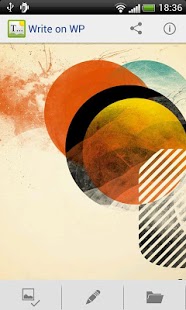
Write on Wallpaper lets you style your wallpaper with your own funny jokes, inspiring quotes, touching poems or any other combination of letters you might think of - unfold your creative potential!
Ever missed the freedom to just write whatever you wanted on your homescreen wallpaper?
Or felt like your wallpaper could use a little spicing up?
Write on Wallpaper lets you personalize your wallpaper and make it your own!
Write on Wallpaper can be used to e.g.:
* Type in important notes that you need to remember. Surely something written on your homescreen will stick in your memory for a long time!
* Write your favorite life advice on your wallpaper to remind you of it each day; e.g. "Embrace life", “Arise and be all that you dreamed” or simply put: “Gangnam Style”
* Joke with friends; install the app on their phone and modify their background (pro tip: low opacity texts will not be noticed straight away. Evil laugh.)
* Or write a famous quote to inspire you to be great; e.g. “Do not dwell in the past, do not dream of the future, concentrate the mind on the present moment.” - Buddha
* Write a message for yourself when lucid e.g. reminding to stop procrastination.
Features:
* Edit; Add or edit texts on top of the current wallpaper.
* Lots of different settings for customizing the texts and their style. e.g Change font, color, opacity, size ect.
* Share; Send your new wallpaper to friends, another phone or to a pc for backup.
* History; Browse a history of the wallpapers you have written on.
* Animated tips to help you through the first usage of the app :)
A paid version of Write on Wallpaper can also be found on the market. Buy it to get rid of ads and support the developers :)
Please feel free to write suggestions, comments, error reports or feedback to our mail as we cannot answer the comments - we will be more than happy to help and hear from our users!
About Write on Wallpaper Free
The company that develops Write on Wallpaper Free is Appdictive. The latest version released by its developer is 1.5.
To install Write on Wallpaper Free on your Android device, just click the green Continue To App button above to start the installation process. The app is listed on our website since 2016-07-05 and was downloaded 0 times. We have already checked if the download link is safe, however for your own protection we recommend that you scan the downloaded app with your antivirus. Your antivirus may detect the Write on Wallpaper Free as malware if the download link to appdictive.writeonwallpaper.free is broken.
How to install Write on Wallpaper Free on your Android device:
- Click on the Continue To App button on our website. This will redirect you to Google Play.
- Once the Write on Wallpaper Free is shown in the Google Play listing of your Android device, you can start its download and installation. Tap on the Install button located below the search bar and to the right of the app icon.
- A pop-up window with the permissions required by Write on Wallpaper Free will be shown. Click on Accept to continue the process.
- Write on Wallpaper Free will be downloaded onto your device, displaying a progress. Once the download completes, the installation will start and you'll get a notification after the installation is finished.
Program Details
System requirements
Download information
Pricing
Version History
version 1.5
posted on 2016-07-05
version 1.4a
posted on 2013-03-23
Several fixes and updates
Disclaimer
Official Google Play Link
We do not host Write on Wallpaper Free on our servers. We did not scan it for viruses, adware, spyware or other type of malware. This app is hosted by Google and passed their terms and conditions to be listed there. We recommend caution when installing it.
The Google Play link for Write on Wallpaper Free is provided to you by apps112.com without any warranties, representations or guarantees of any kind, so access it at your own risk.
If you have questions regarding this particular app contact the publisher directly. For questions about the functionalities of apps112.com contact us.
